
The backpack feature in Pocket Code is a practical function that allows you to save and reuse elements like actors (objects), scripts, looks, or sounds across projects. It helps you save time and make your projects more efficient.
The backpack is like a digital storage space where you can store various elements from your current project. Once saved in the backpack, you can retrieve and insert these elements into other projects.
How do I use the backpack for actors (objects)?
Pack figures into the backpack
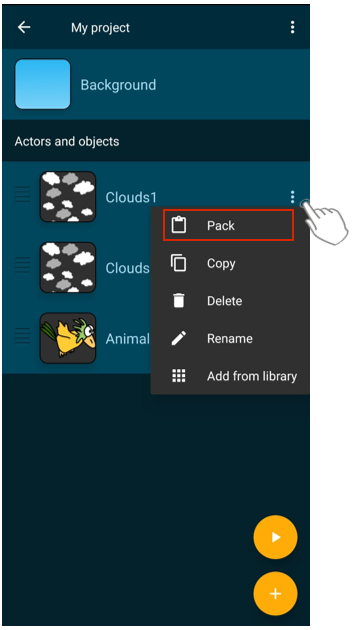
Go to the project view of the project from which you want to pack a figure into the backpack.
Click on the three dots next to the figure to open the context menu and select “Pack.”
The figure (including its looks, sounds, and scripts) will be packed into the backpack.
Add figures from the backpack
Open the project where you want to insert the figure.
In the project view, tap the plus symbol and select “Backpack.”
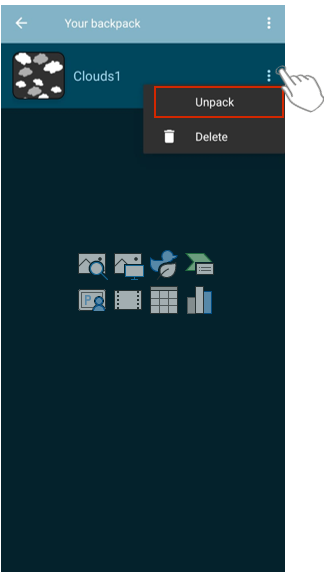
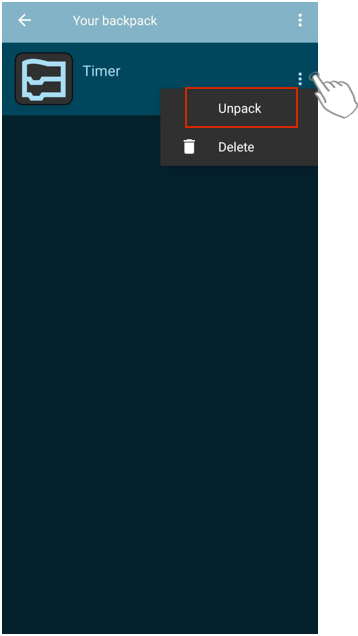
You will now see all the figures and objects you have saved in your backpack. Tap on the three dots and select “unpack.”
How do I use the backpack for scripts?
Put scripts in the backpack:
Go to the figure that contains the script. Hold down the desired script in the script editor.
Select “Add to backpack” from the context menu.
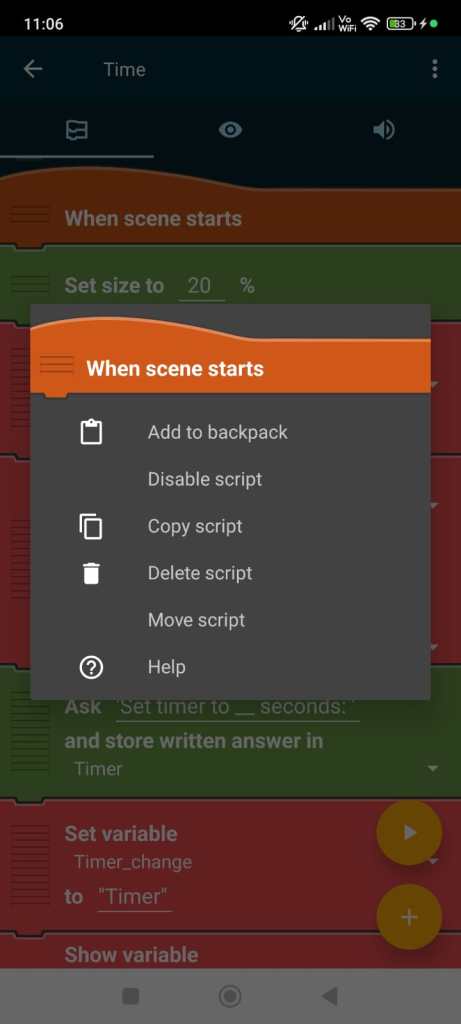
Give the script a name and confirm with OK.

The script is saved and can be used in other projects.
Add scripts from the backpack:
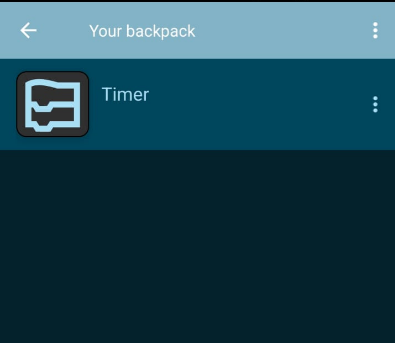
Tap on the actor where you want to insert the script. You will see the script area. Tap on the three dots to open the context menu and tap on “Backpack”.

You can now see all the scripts that are already in your backpack. Tap on the three dots next to the desired script and select “Unpack” from the context menu.
Through the context menu, you can delete scripts that you no longer need in your backpack.
Benefits of the Backpack
- Cross-Project Reusability: Figures, scripts, sounds, and looks can be created once and reused as often as needed.
- Time saving: You don’t have to create figures or scripts anew each time.
- Consistency: Elements remain consistent when you need them across multiple projects.
You must be logged in to post a comment.