
In this tutorial, you will learn how to embroider Yin and Yang (78.4 x 78.4mm) .

You should already know what a loop is and how it works.
The Circle-tutorial may be helpful for this tutorial.
Take a look at the embroidery tutorials in the Beginner series if you haven’t embroidered anything yet.
For more information or design suggestions check out the other tutorials.
Here you can download the tutorial in PDF-format:
- Create a new Embroidery-Object (see Create Embroidery-Objects):

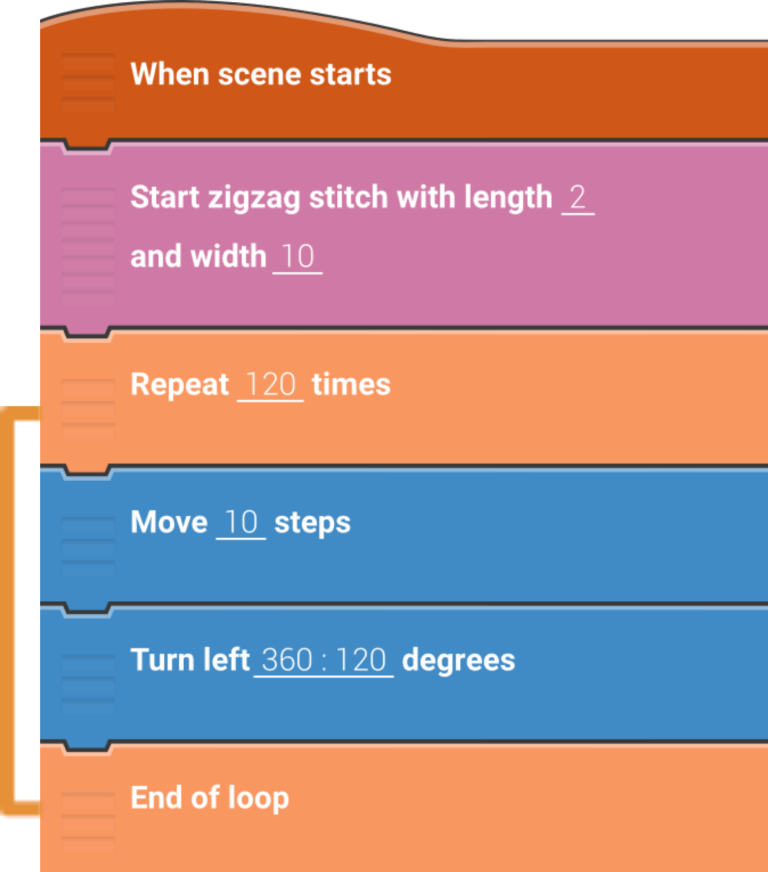
- Insert the following script for the big circle:
- Middle Curve
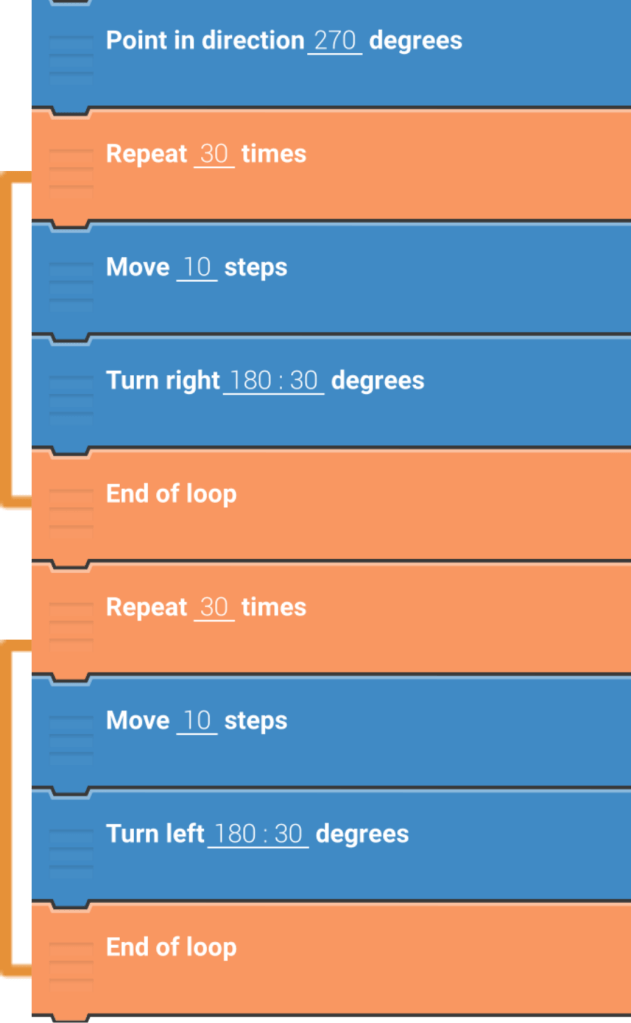
Add this part to your script as well:
- Little Circle Top
Create a new Embroidery-Object and insert the following script:

- Little Circle Bottom
You can simply copy the object from step 4:

- Little Circle Bottom
You have to change the position of the second circle:

- Tap play to start your design!
You must be logged in to post a comment.