Skip to content
Catrobat
  • Home
  • About
  • Share
  • Apps
    • App Pocket Code
    • App Pocket Paint
    • App Luna and Cat
    • App Embroidery Designer
    • App Create at School
    • App Phiro Code
  • Fabulous Exploring
  • Wiki
  • English
    • Deutsch
    • English

Embroidery Tutorials

⌘K
  • Embroidery Tutorials Beginner
    • Activate Embroidery-Bricks
    • Create Embroidery-Objects
    • Embroidery-Bricks
      • Running Stitch
      • Stitch
      • Stop Current Stitch
      • Triple Stitch
      • Zigzag Stitch
    • Export Designs
    • Square
    • Circle
    • Circle – Zigzag
    • Semicircle
    • Star
    • Star – Zigzag
    • Lollipop
  • Embroidery Tutorials Medium
    • Heart
    • Flower
    • Lotus
    • Spiral
    • Optical Illusion
    • Penrose Triangle
    • Triangle-Spiral
    • Night Sky
    • Creeper (Minecraft)
    • Paperplane
    • Rainbow
    • Yin & Yang
  • Embroidery Tutorials Pro
    • Lollipop
  1. Home
  2. Docs
  3. Embroidery Tutorials
  4. Embroidery Tutorials Begi...
  5. Embroidery-Bricks
  6. Stop Current Stitch

Stop Current Stitch

Lets the current stitch stop.

You will need this brick if you want to change the position of the needle after starting a running, zigzag or triple stitch.
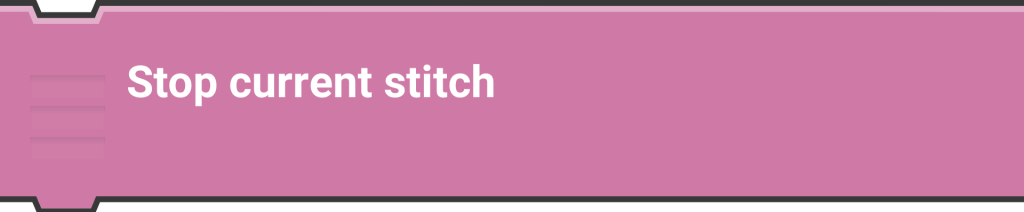
Otherwise an unwanted intermediate seam would occur.


Doc navigation

← Stitch
 

Loading Comments...
 

You must be logged in to post a comment.