
In this tutorial, you will learn how to embroider a circle (76.2 x 76.2mm).
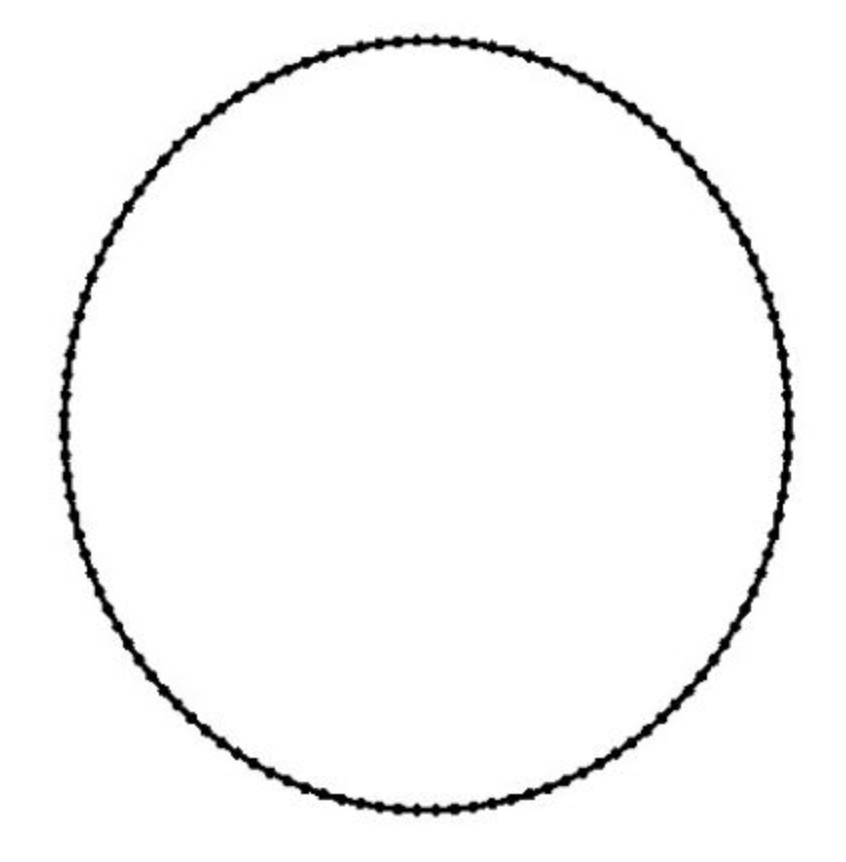
You should already know how to create a new object and insert bricks there. Feel free to check out the tutorials in the Starter series if you still need help. Additionally, the embroidery bricks must already be activated. You can find out how to do this in the the Activate Embroidery-Bricks-tutorial.
For more information or design suggestions check out the other tutorials.
Here you can download the tutorial in PDF-format:
- Create a new Embroidery-Object (see Create Embroidery-Objects).
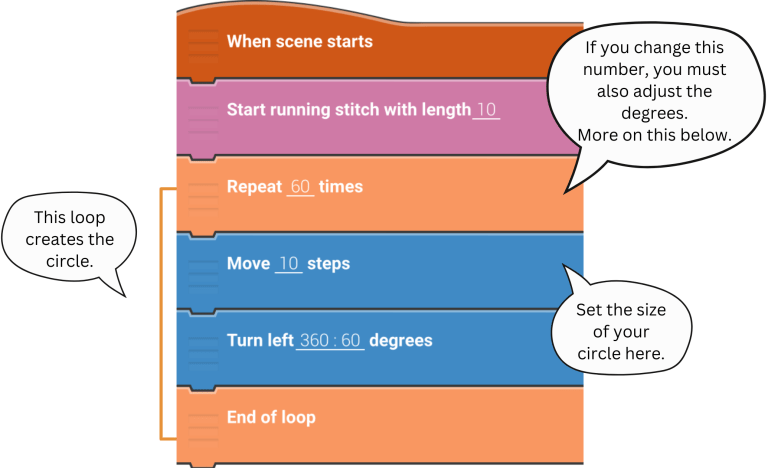
- Now start and insert the bricks step by step to your script.
- Tap play to start your design!

You must specify the degree of rotation, as 360 ÷ 60 here.
360 always remains the same for a circle! You must therefore set the repetitions appropriately, such as 60 here. Try out other combinations! e.g.: 30 and 360 ÷ 30 or 120 and 360 ÷ 120.
You must be logged in to post a comment.