
In this tutorial, you will learn where to find various bricks to program an object. Additionally, this tutorial provides a good overview of the brick categories.
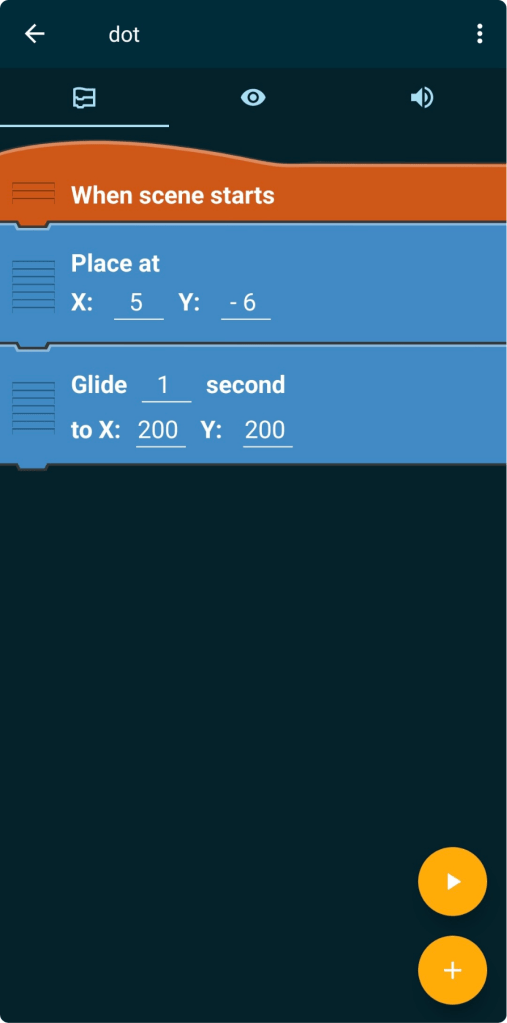
To insert bricks and program your object, you should already have created a project with an object. If you need help with this, you can have a look at the New Object-tutorial.
Here you can download the tutorial in PDF-format:
- Open Existing Object
At first, you need to open your project. You should already have created an object (if not, check the New Object-tutorial out). Now you can click on the object´s name.
- Open Existing Object
After that you will see that there are already some bricks. Those bricks were created when we visually placed the object.
These bricks do nothing more than place our object at the exact position we selected at the beginning once the project starts. You can also change this position at any time here.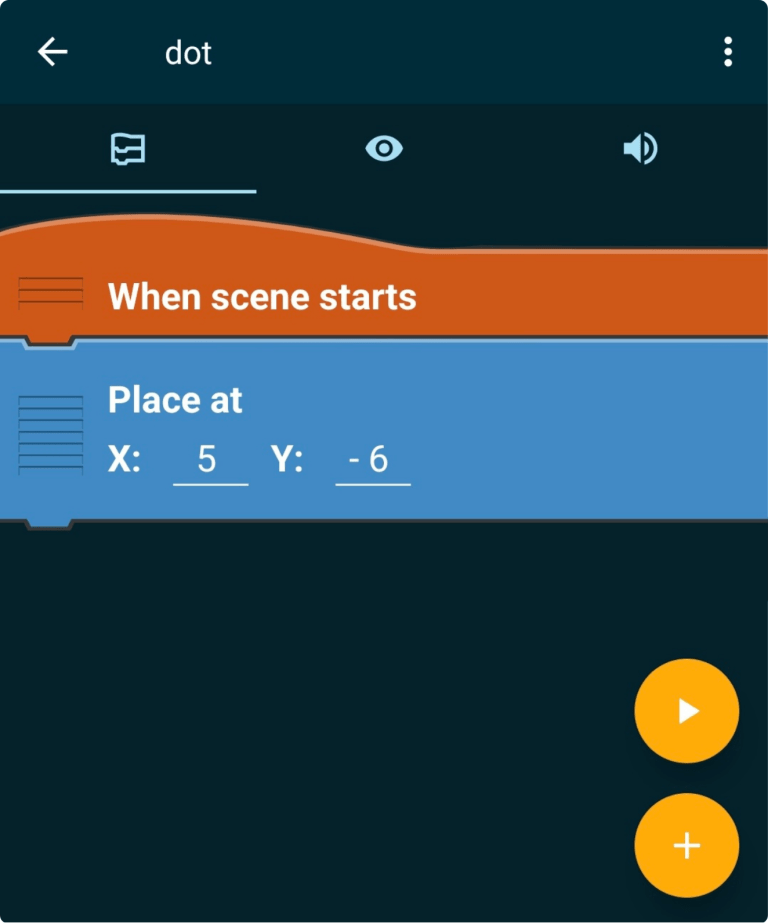
- Insert Bricks
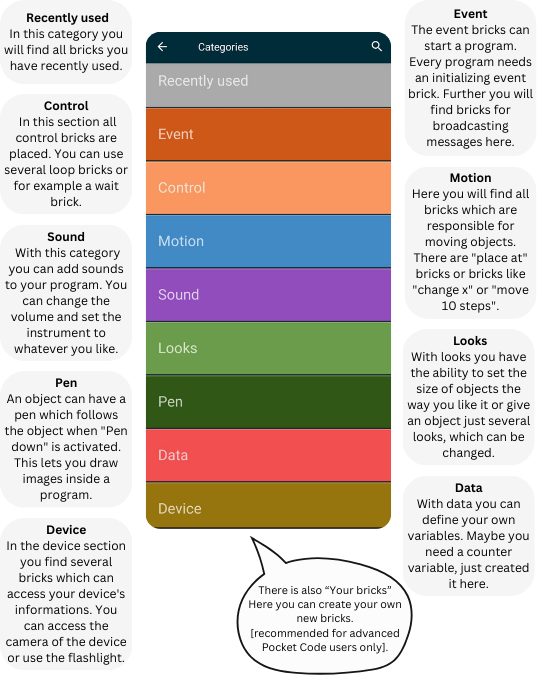
Now you can create more bricks by clicking on the yellow plus-button on the bottom right corner. You will see a new window giving you several categories for bricks. These categories are described in the next step.
- Brick Categories
This are the different brick categories:
- Insert First Brick
For our first bricks, we want to use the “Glide 1 second to X: Y:” brick. You can find it in the motion category. With the Formula Editor you can edit the amount of seconds and the position X and Y.
- Place the brick
Place the brick at the last position of your program and run your program for the first time. You can do that with the yellow play-button.
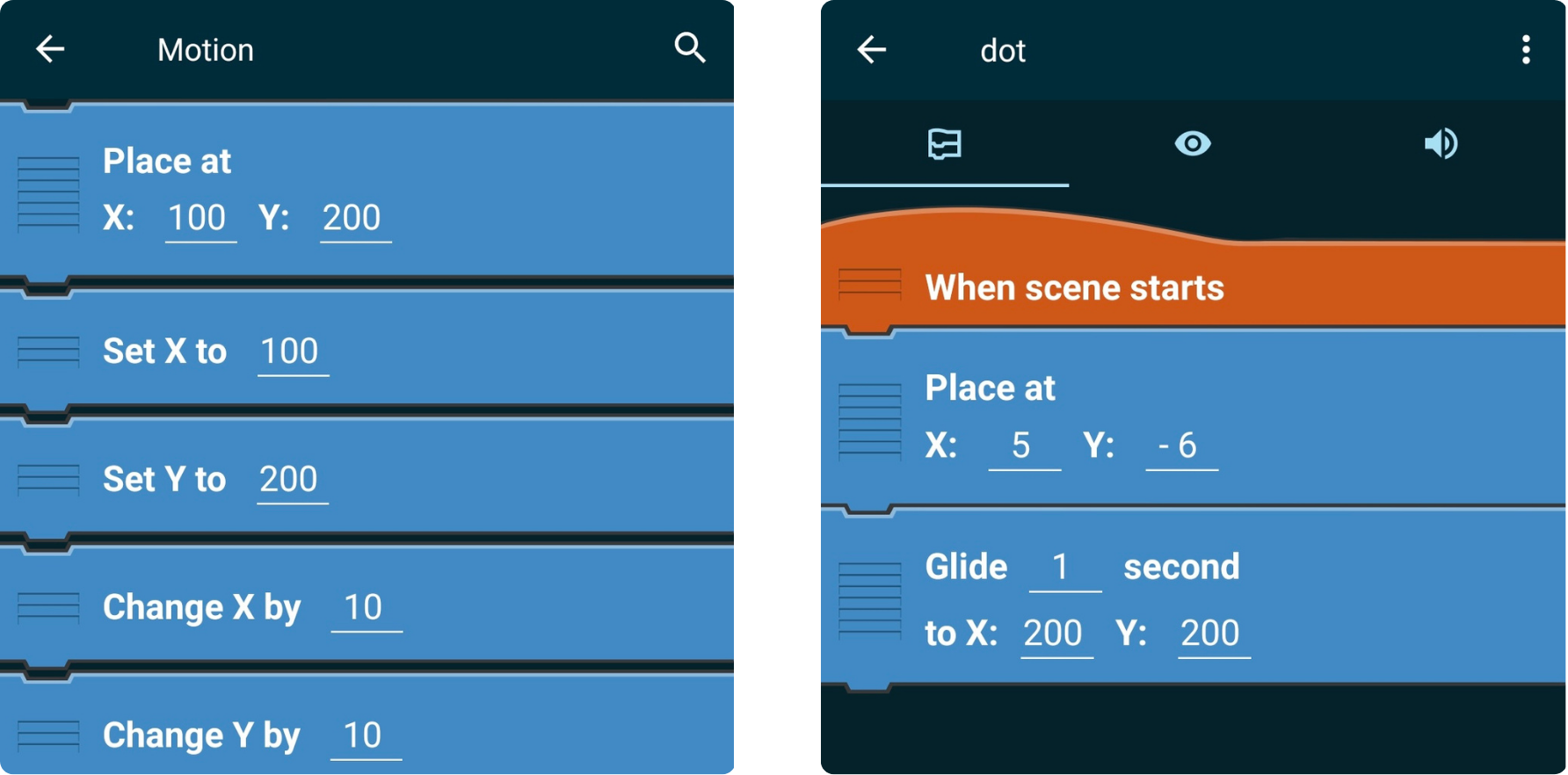
- You made it! You inserted your first brick.
Now you have programed you first Object!
Now you have programed you first Object!
If you want to share your project with your friends, you can check out the Upload and Share-tutorial, where it will be explained exactly how it works. Otherwise, you can already start with your first own project. If you need help or inspiration, feel free to check out our tutorials from the Beginner series.
You can find more information about all bricks here!
You must be logged in to post a comment.